Routines, remembered
Repeat tasks daily, weekly, monthly or yearly. See the next occurrence and change or stop the series when life changes.
 Taskcend
Free to use · Open to everyone
Turn the things on your mind into a plan you can use. Make space for focused work, personal notes and the progress you want to remember.
Tasks. Time to focus. A record of how far you’ve come.
Optional AI reflections · You choose what to share
“Starting small gave me the clarity I was waiting for.”
Illustrative data
A day with Taskcend
One connected space to capture, plan, make a start, and see what you’ve moved forward.
36-second illustrated tour · English · Example data
Capture tasks with dates, priorities, tags and projects.
Write “Read tomorrow at 9am !! #learning” to set a deadline, priority and tag. Quick controls make the same options easy to find. Add a project right from capture.
See day, week and month views. Drag tasks into time blocks, adjust their schedule, and keep work dates separate from deadlines. Daily capacity helps you see how much you have planned.
Give each project a description and smaller tasks. Progress, completed work, estimates and recorded focus time stay together—so the bigger picture is easy to return to.
Keep next actions, waiting items and someday ideas in their own lists. When starting feels difficult, name one small action and try a two-minute start. Continue or stop on your terms.
Completed tasks build a history you can revisit, with XP, levels and achievement badges. Task wording and tags help place practice XP into Learning, Health, Work, Relationships or Creativity.
Write beside your tasks, review completed work and logged focus, then choose up to three tasks for tomorrow. Optional questions help you keep what worked and notice what got in the way.
Thoughtful details, throughout your day
Repeat tasks daily, weekly, monthly or yearly. See the next occurrence and change or stop the series when life changes.
Daily pages, task notes and project writing come together in your notebook. Keep the context behind the checkbox.
Practice XP shows recorded activity, not a measure of ability. Focus time comes from saved session notes. Your workday is more than any number.
Optional AI reflection
Choose a day or week, select the records to include, and generate a reflection with links to your own words.
Get optional next steps and personal challenges from selected writing. Review, change or decline every suggestion.
Revisit selected writing with an optional AI reflection. Your original words stay separate from the interpretation, and you decide what to keep.
Make room on your Mac
Download Taskcend for Mac, or create an account to start in your browser.
Already installed? Open Taskcend → Check for Updates…
Another tool from Taskcend. See your Mac apps as a stack of preview cards, find one by typing, and get back to work.
Mac App Store edition coming soon · Planned US$5.99 once
Explore TabSwitcher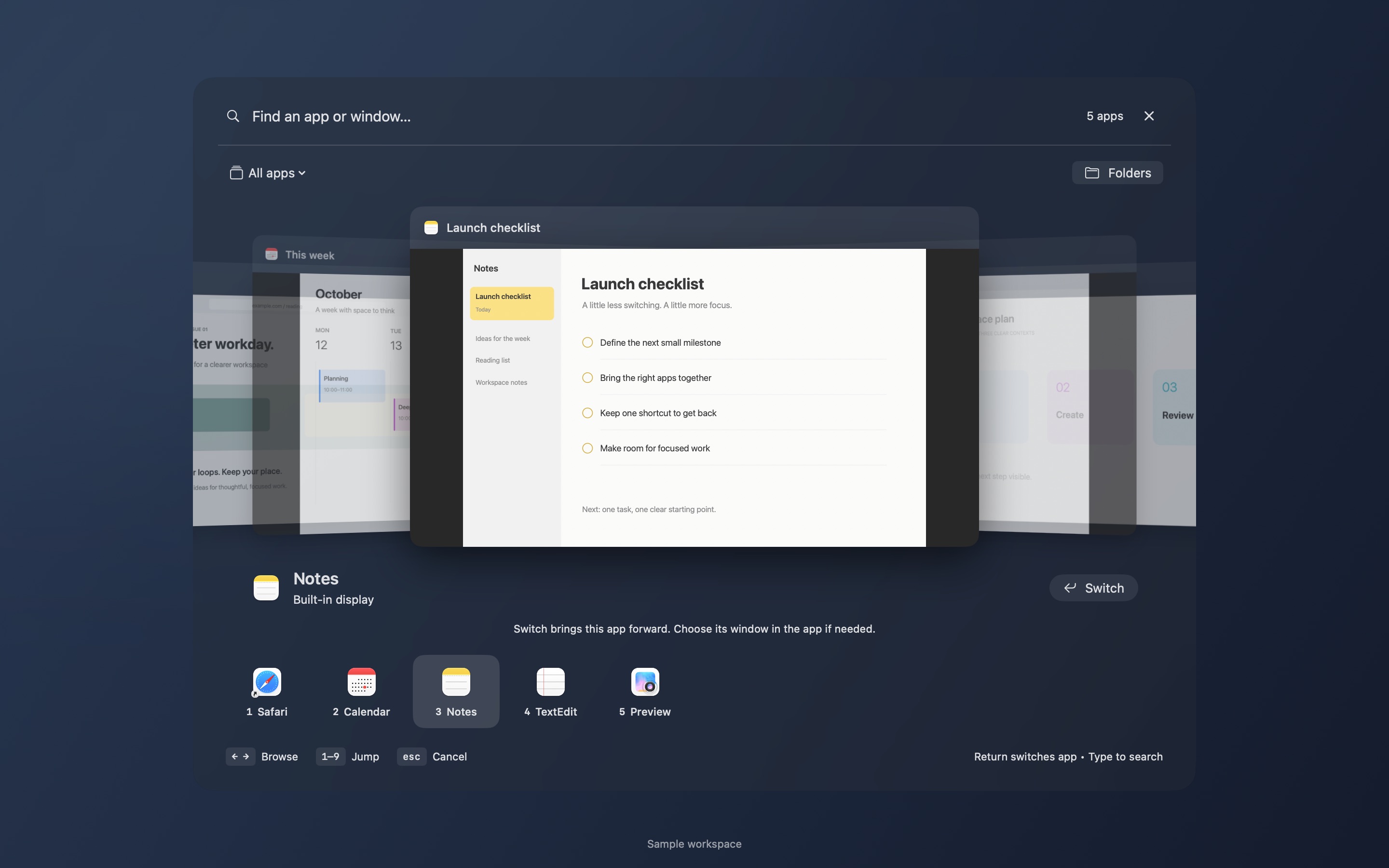
Create your free account with email, Google or Apple. Your tasks and notebook will be ready after you sign in.
Checking your access…
Your email is used for your account and sign-in.
Sign in to return to your tasks and notebook.
A little intention goes a long way.
Add your first task above. A small next step is enough.
Thoughts, ideas, little things worth keeping.
Your draft stays above. Compare both before choosing.